Build from scratch
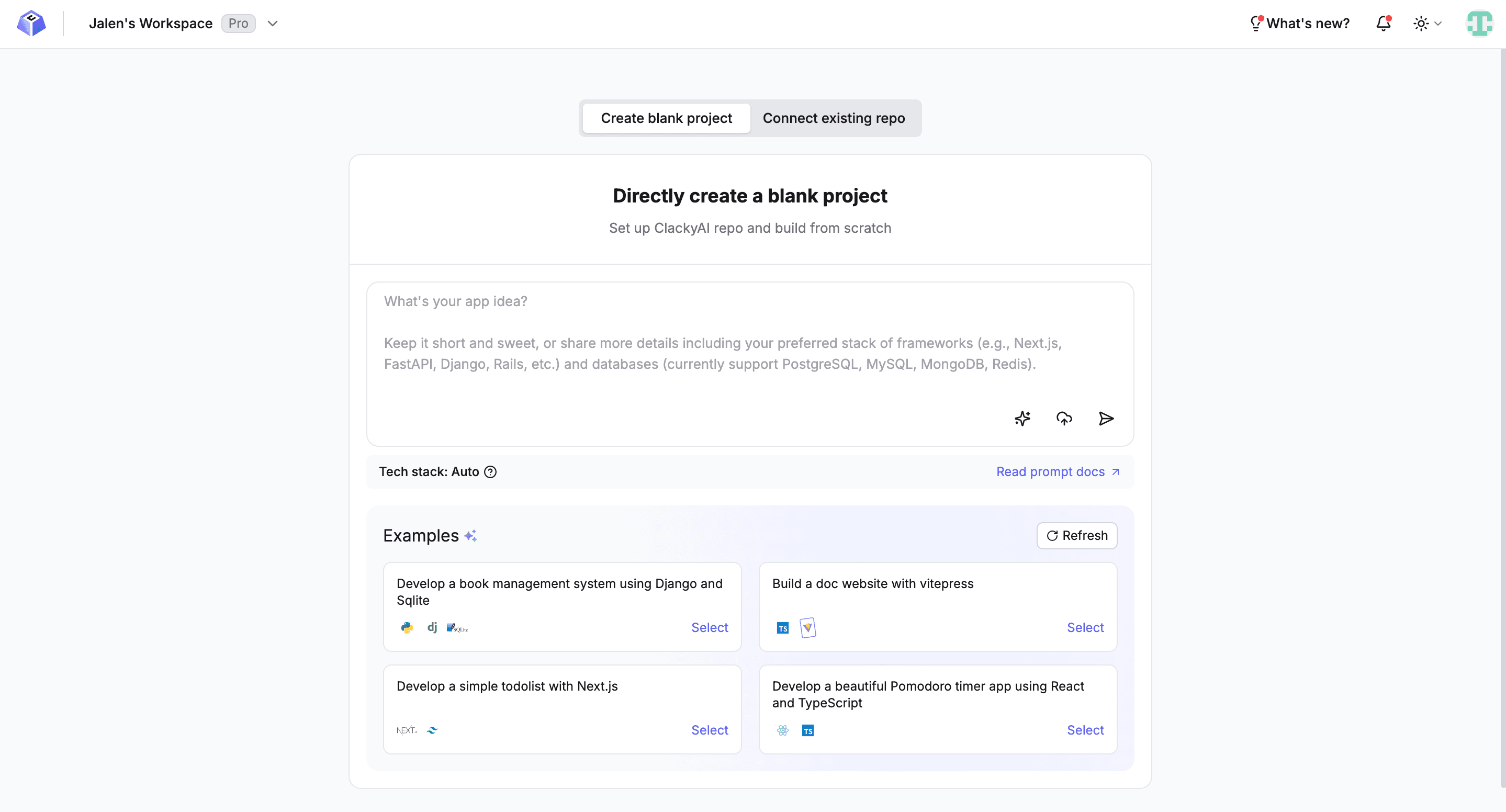
Create A Blank Project
To create a blank project, simply write the prompt of your requirements, or select an example to get started quickly
Prompt
In the chat box, describe the type of application you want Clacky to help you build, along with specific requirements (features and other special requirements)
such as:
Help me create an e-commerce website with the following requirements:
1. Product listing and detail pages
2. Shopping cart functionality
3. Integrate Stripe for payment processing
4. Use AI to generate product descriptions
5. Responsive design for mobile and desktop
or
Build an AI writing assistant that helps users generate articles, blog posts, and marketing copyExamples
Select an example from the recommended Build from scratch examples that matches your requirements/tech stack. Let Clacky analyze the requirements, generate a Specification, Thread name, and Default branch name. Once everything is confirmed, let Clacky Start to build:
Plan And Execute
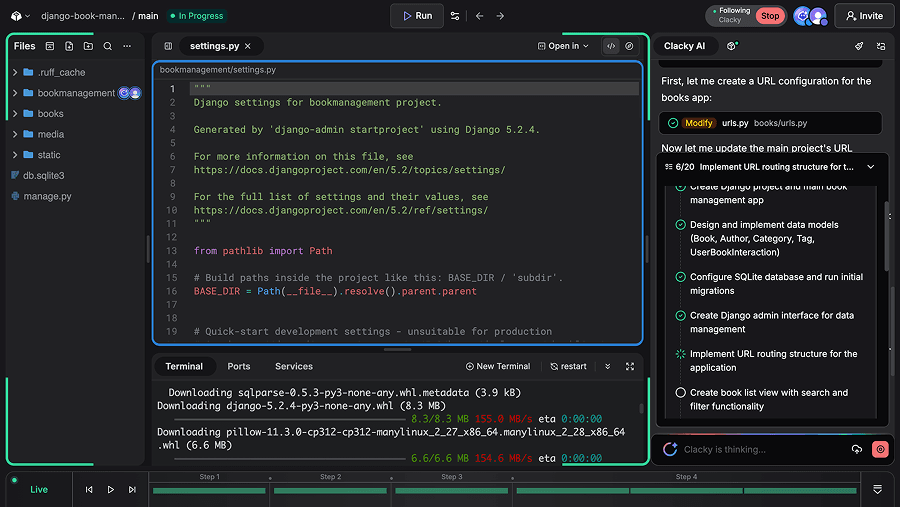
After the user confirms or manually adjusts the development plan and approves execution, the Task Plan Agent autonomously follows the task plan, utilizing Clacky’s tools to generate and write code or execute relevant commands in the terminal.
During this process, Clacky introduces innovative “Task Time Machine” and code snapshot technologies, providing developers with complete visualization and control over AI actions. You can track, review, and adjust every modification made by the AI, ensuring the development process remains under your control.
Commit Changes
After the task is completed and tests pass successfully, click the “Commit Changes” button above the ChatBox to request Clacky to commit and push changes to your Git Platform remote repository. Clacky will review the changes and generate a commit message, then push it after your confirmation.
For the first commit, you need to first authorize the Git platform and create a remote repository.
Create a Remote Repo
- Click the ‘Create a Remote Repo’ button
- Authorize GitHub/GitLab in the popup window
- Confirm the repository Owner and the name of the repository to be created, then click the Create button to create the remote repository
- After successful creation, click the “Commit Changes” button again to commit and push the code to the remote repository
Once the initial requirements are completed, it is strongly recommended to create a new thread for other tasks, which will significantly enhance the results of AI.
Create New Thread
If you want to develop multiple independent task requirements in parallel, Create New Thread is a great choice. Click the logo in the upper left corner on the thread page to view the thread list, click create a new thread, and enter your branch name. Note that the branch name needs to be unique. The prerequisite for supporting parallel development is that your root thread must be connected to the remote repository. The thread management approach is similar to Git management.
In the new thread, you can work with Clacky to write code and solve problems.
We have developed a robust AI Agent work model that can perform in-depth analysis and indexing of project code repositories. Coupled with a mature workflow, this significantly enhances the quality of the “first” work output.